Features
Everything between school and family, in a calm app.
Petek Aile is the parents' side of the Petek your school uses. The sections below appear in your app as your school turns them on; the screens are from the app itself.
Coming soonThe school day
Your child's day, as it is and as it happens.
Today and the school day
Is my child all right? The first screen answers that.
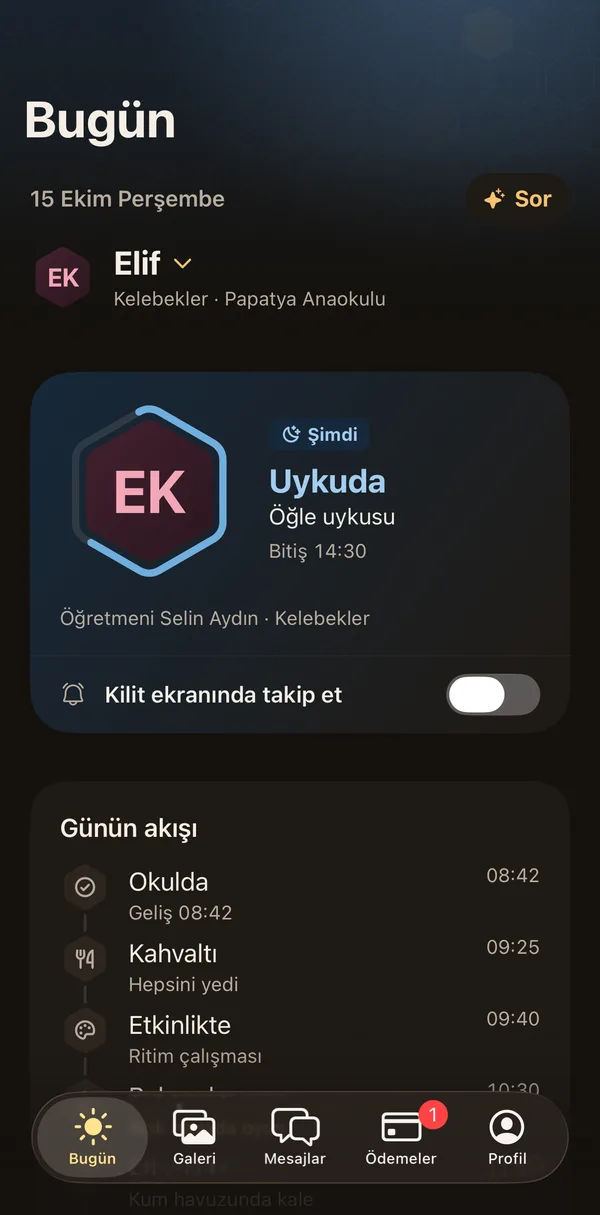
Open the app and you see where your child is right now and how the day is going. The card follows the school day: in preschool, arrival time, meals, nap and the teacher's notes; from primary to high school, the timetable, homework, exams and absences.
Details: Today and the school day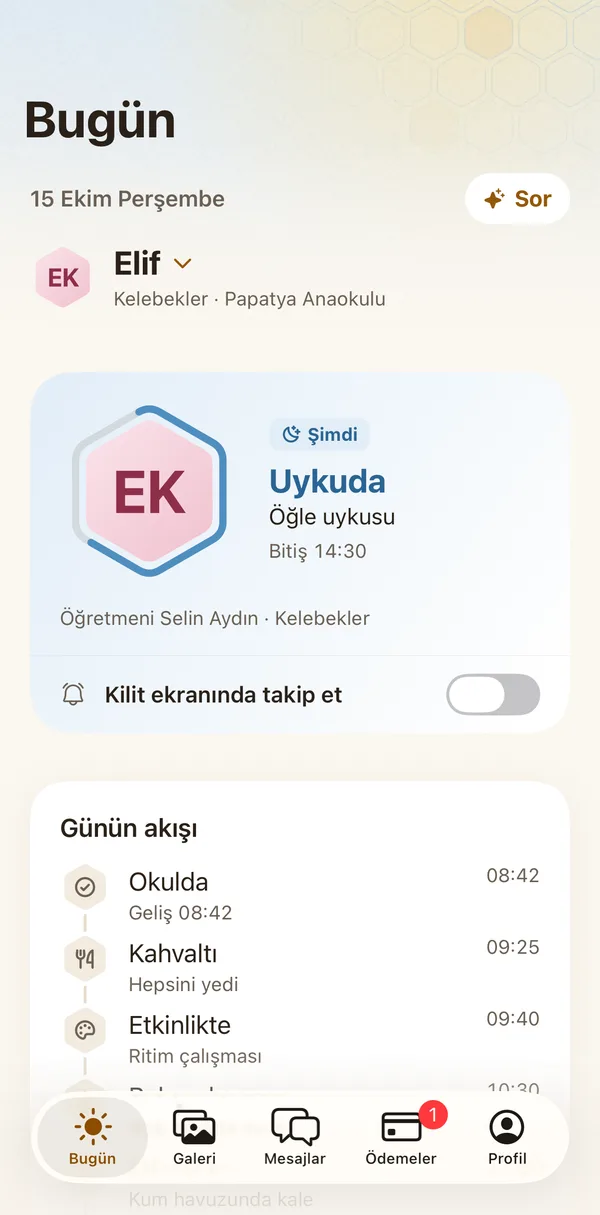
The day's story
When the day ends, a short story of it.
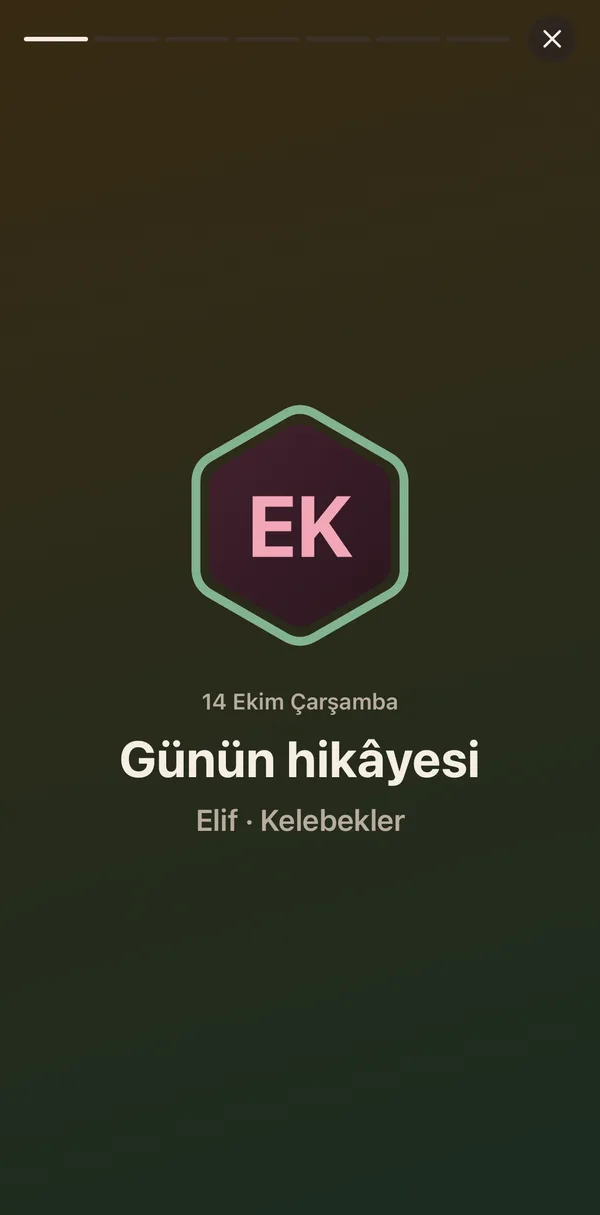
When the teacher closes the day, the day-end report arrives as one notification and becomes a short story you swipe through: the day's moments, photos, meals, nap and the teacher's note. A good way to start talking about the day with your child in the evening.
Details: The day's story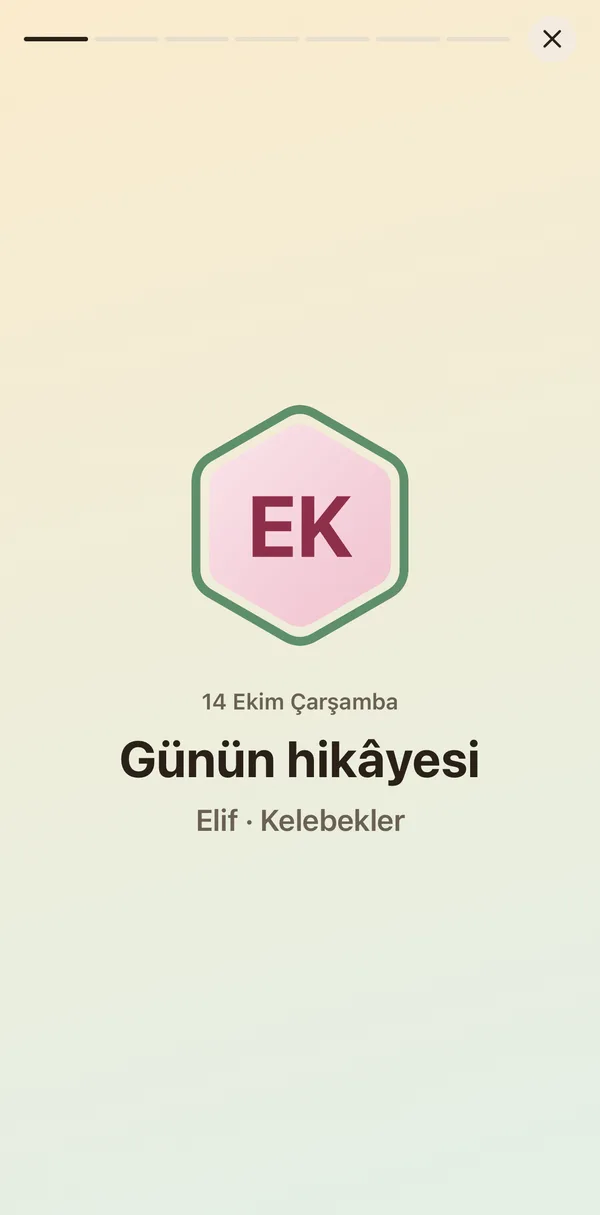
Lock screen, Dynamic Island and widget
At a glance, without opening the app.
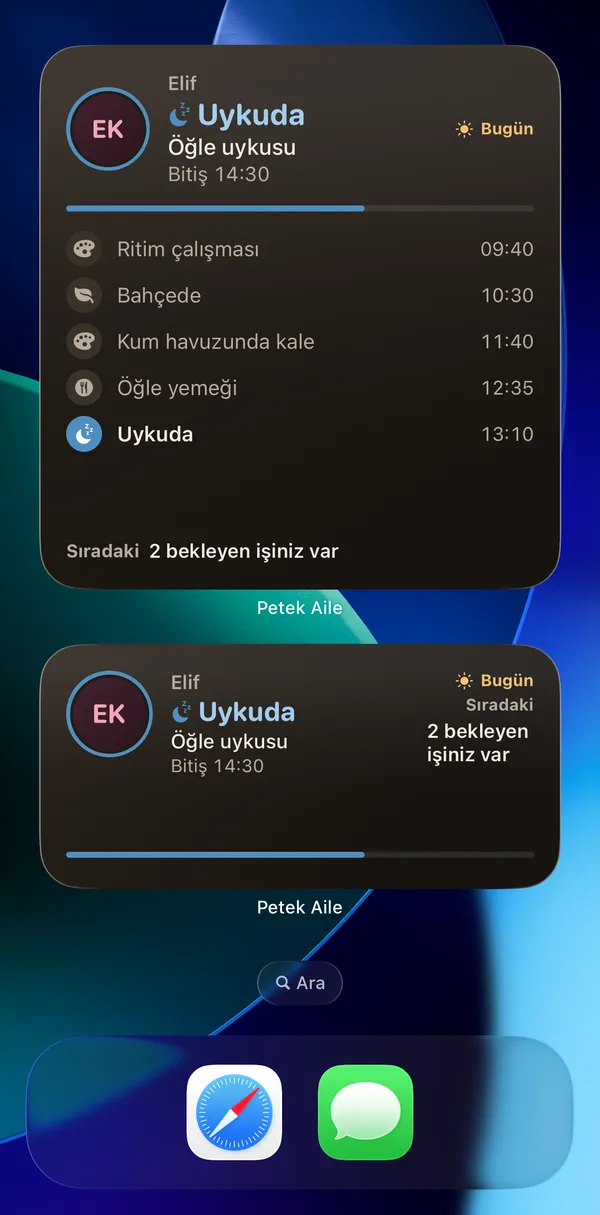
The school day runs live on your lock screen: arrived, napping, in class, on the way, picked up. On iPhone it shows as a Live Activity on the lock screen and in the Dynamic Island, and as the Today widget on the home screen. You choose which child to follow.
Details: Lock screen, Dynamic Island and widget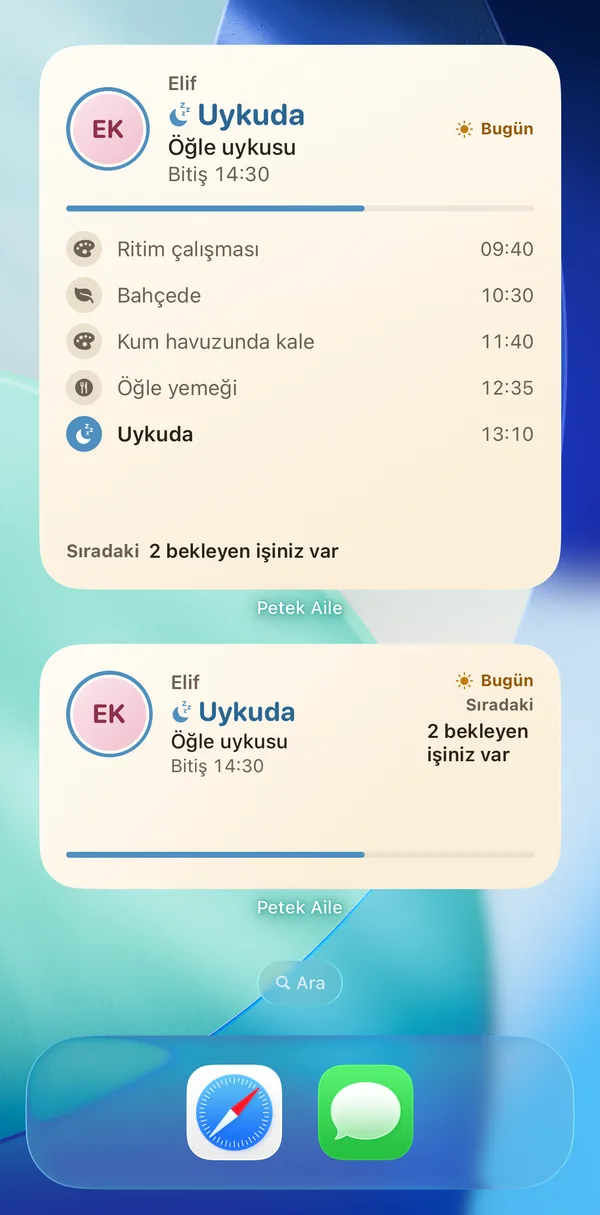
Meal menu and allergy alert
What is for lunch, and does it touch their allergy?
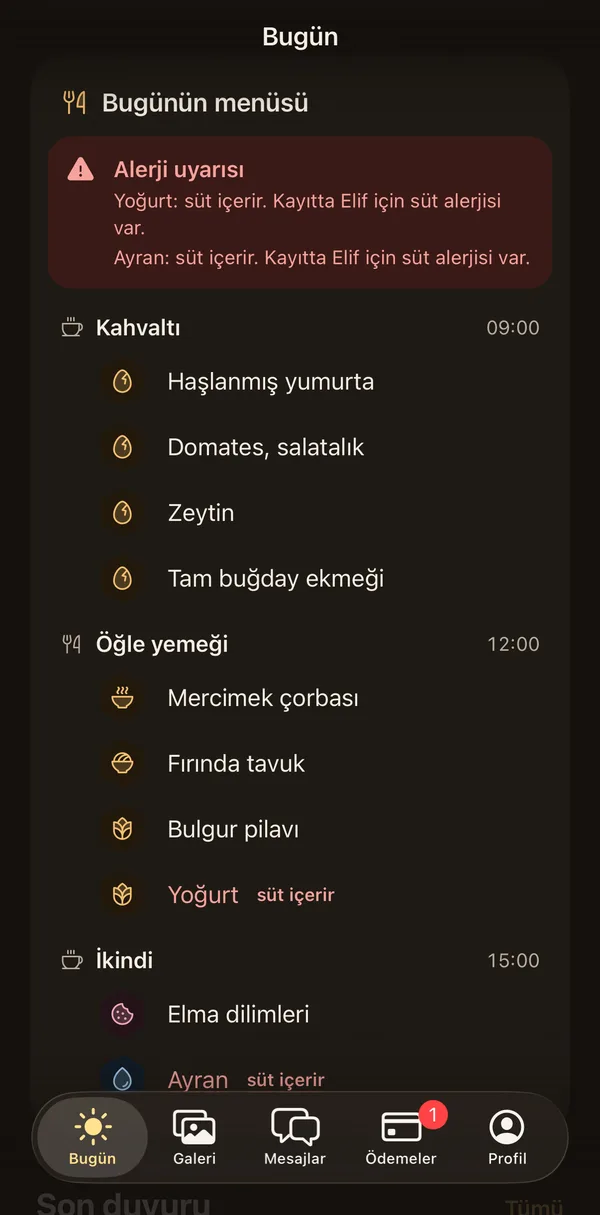
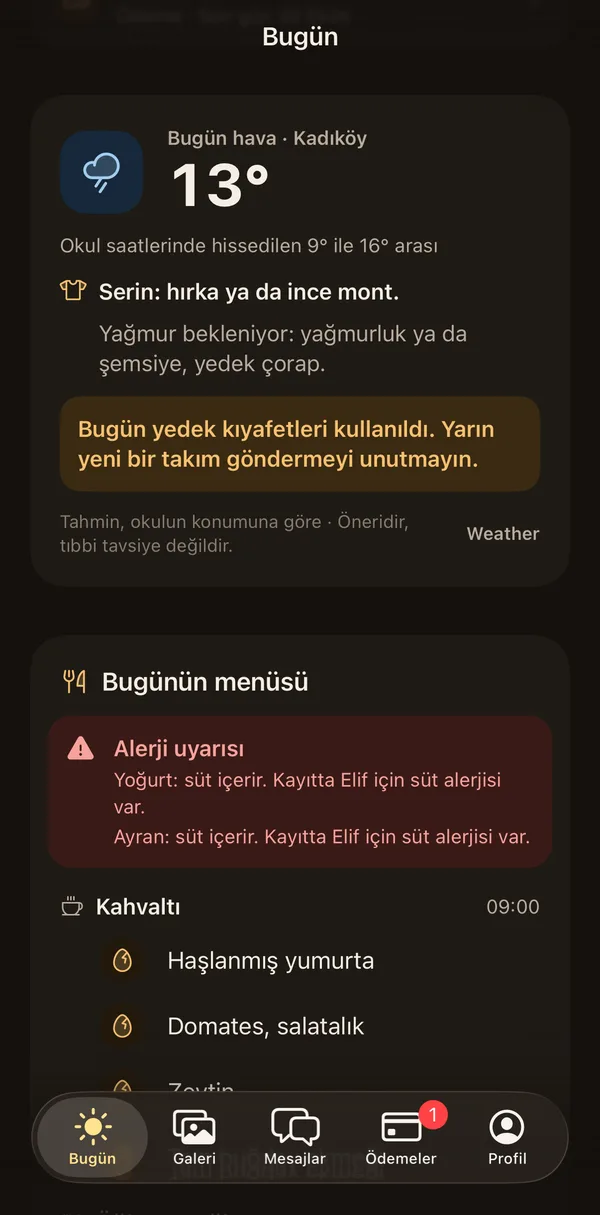
Today's menu sits on the Today screen, meal by meal. If your child's record lists an allergy, a dish containing that allergen is marked and also shows as a separate alert card. The allergy comes from the school's record; if it changes, you tell your school.
Details: Meal menu and allergy alert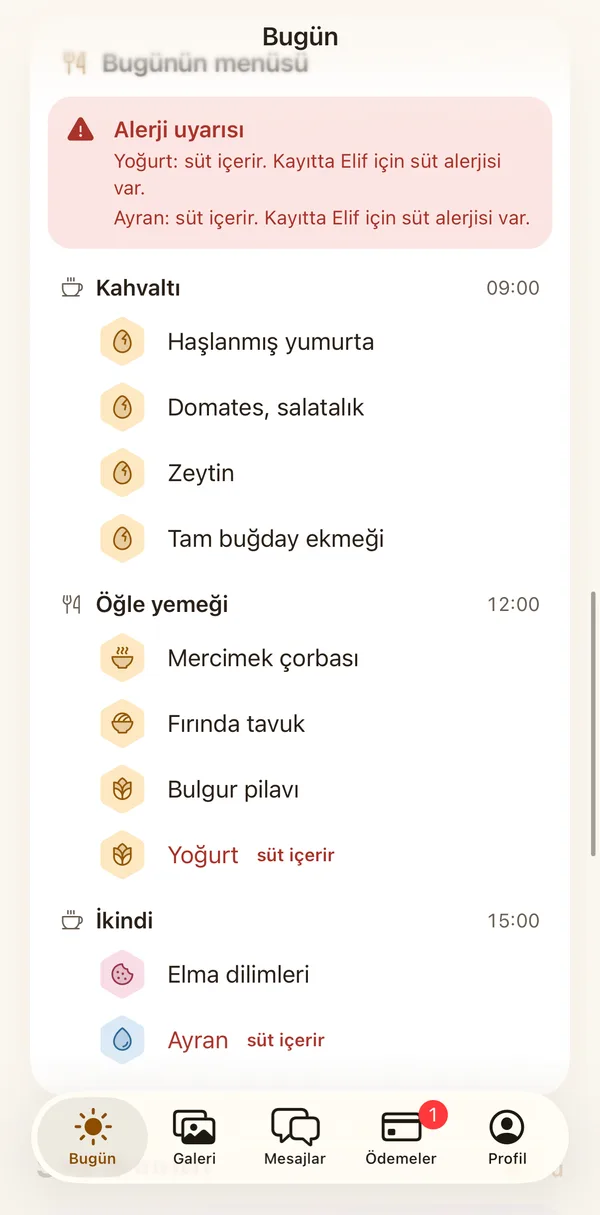
Weather and what to wear
Before you leave: coat or raincoat?
In the morning you see a short clothing tip based on the weather where the school is. It looks at the feels-like temperature, chance of rain, wind and UV. If the school used your child's spare clothes, you are reminded to bring new ones.
Details: Weather and what to wear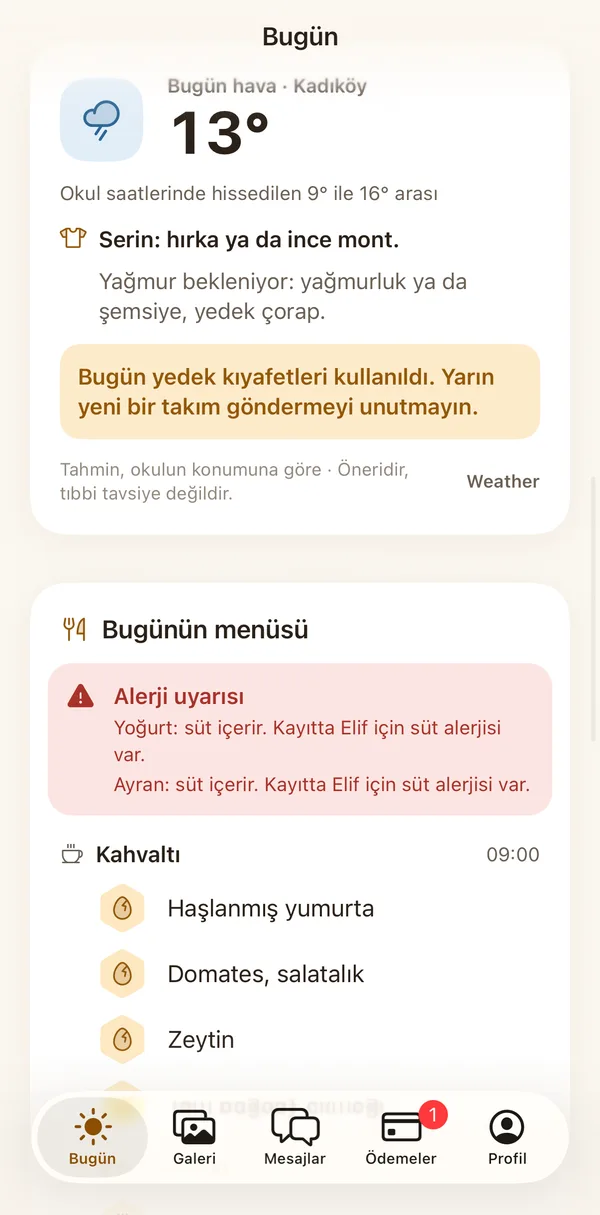
On the way and at the door
Getting to school and home again, safely.
On my way
Say you are on your way, and your child is ready.
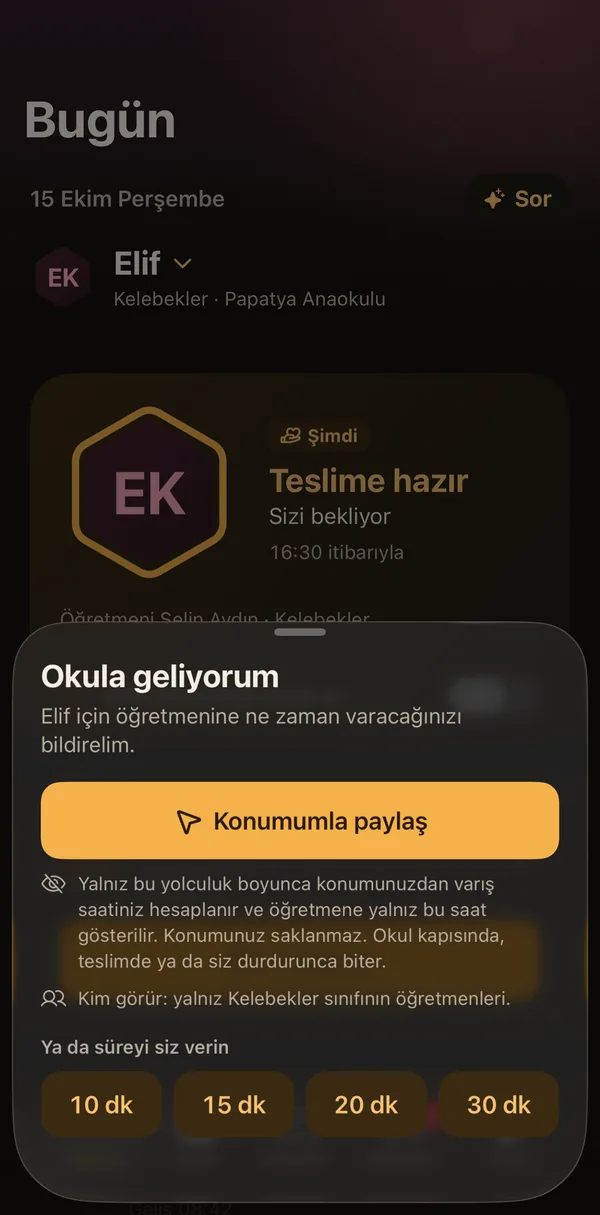
When you set off to collect your child, you tell the teacher when you will arrive: 10, 15, 20 or 30 minutes, or with your location. The teacher gets your child ready; at the door you tap "At the door", and the steps also show on your lock screen.
Details: On my way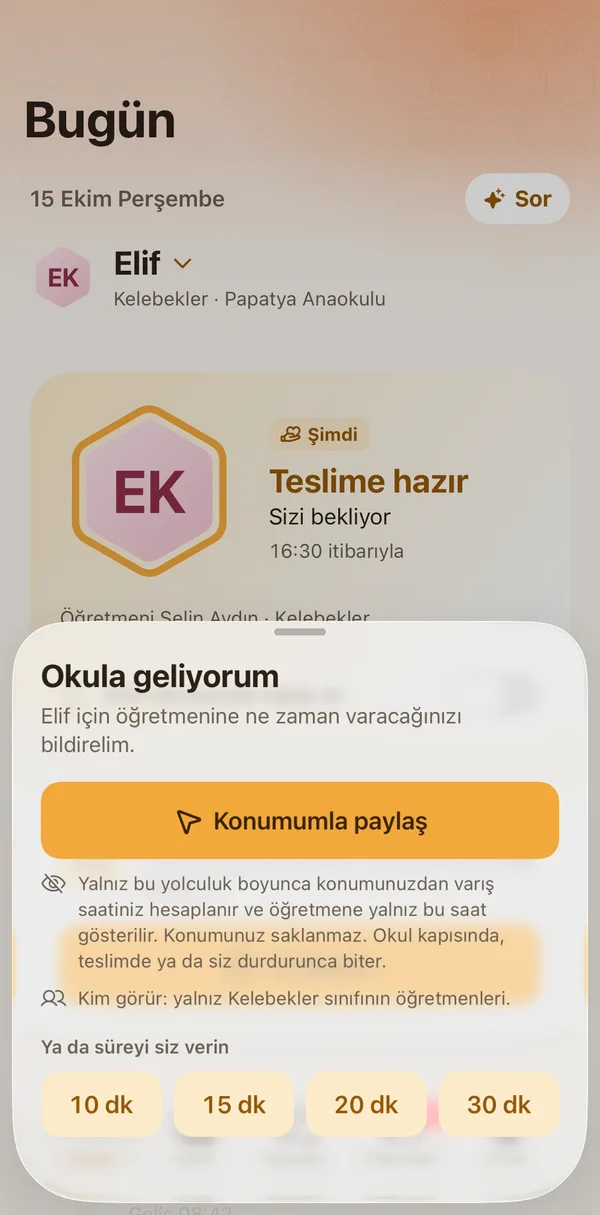
Pickup at the door and pickup permission
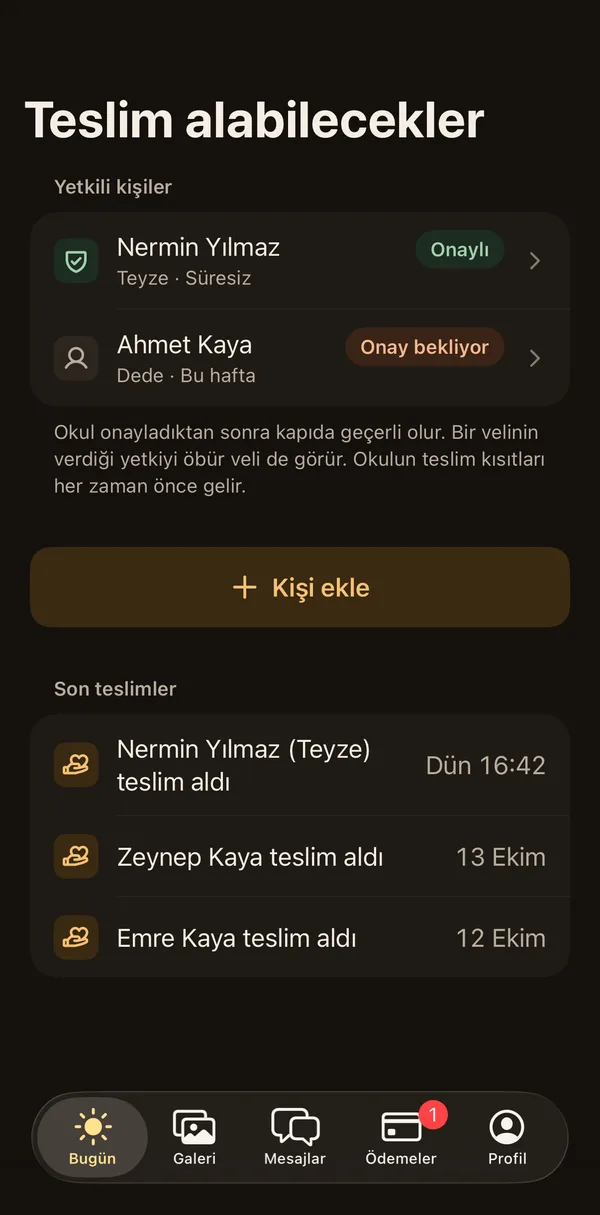
You decide who may collect your child.
You add the people who may collect your child from the app: with no end date, for today only, for this week or until a date. Once the school approves, the permission is valid at the door and the other parent sees it too; the school's pickup rules always come first. When someone else collects your child, you hear at once.
Details: Pickup at the door and pickup permission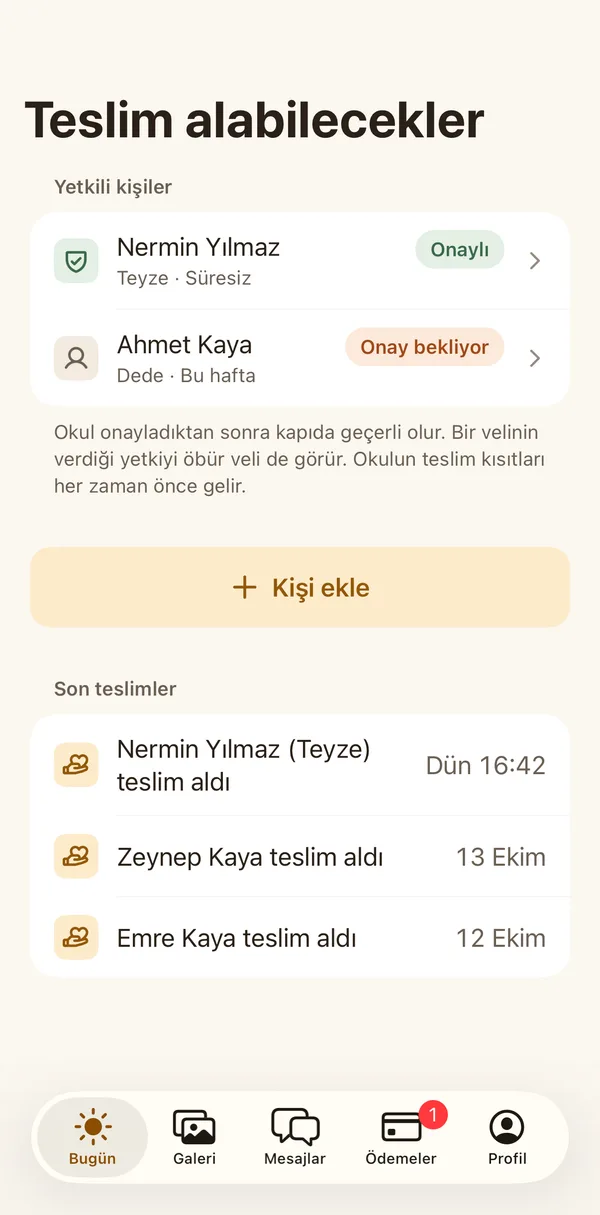
Talking with the school
To the right person, on the school's private channel.
Announcements and school calendar
The school's news and events, without missing any.
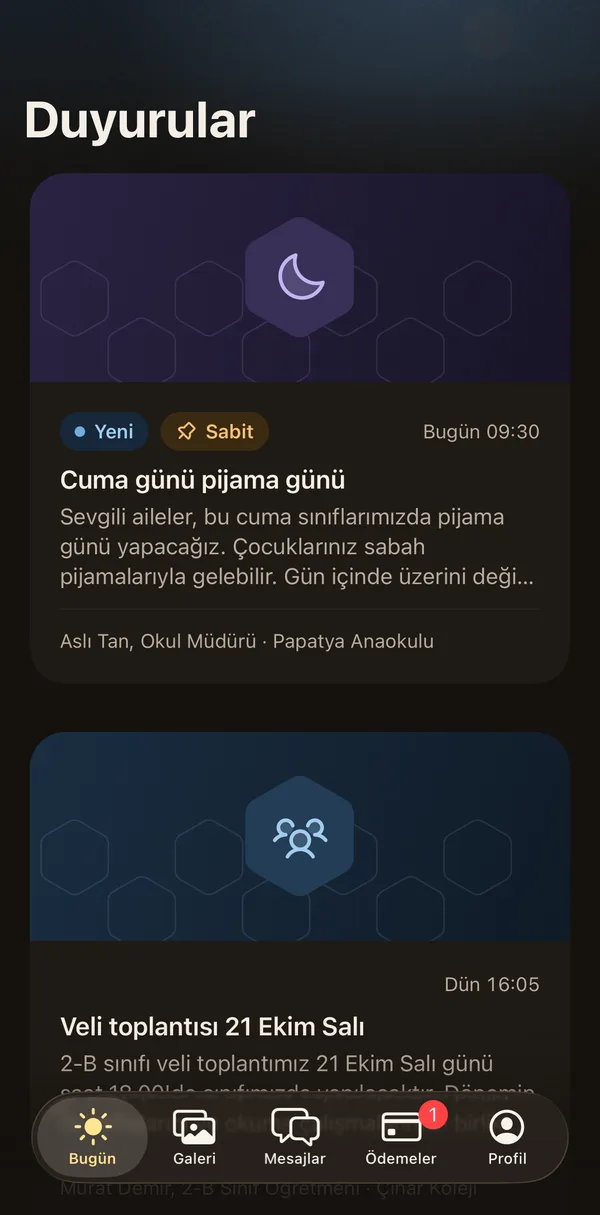
You see the school's announcements in one place; pinned ones stay on top and urgent ones arrive separately and clearly. The school calendar and replies to events will soon be in the same place.
Details: Announcements and school calendar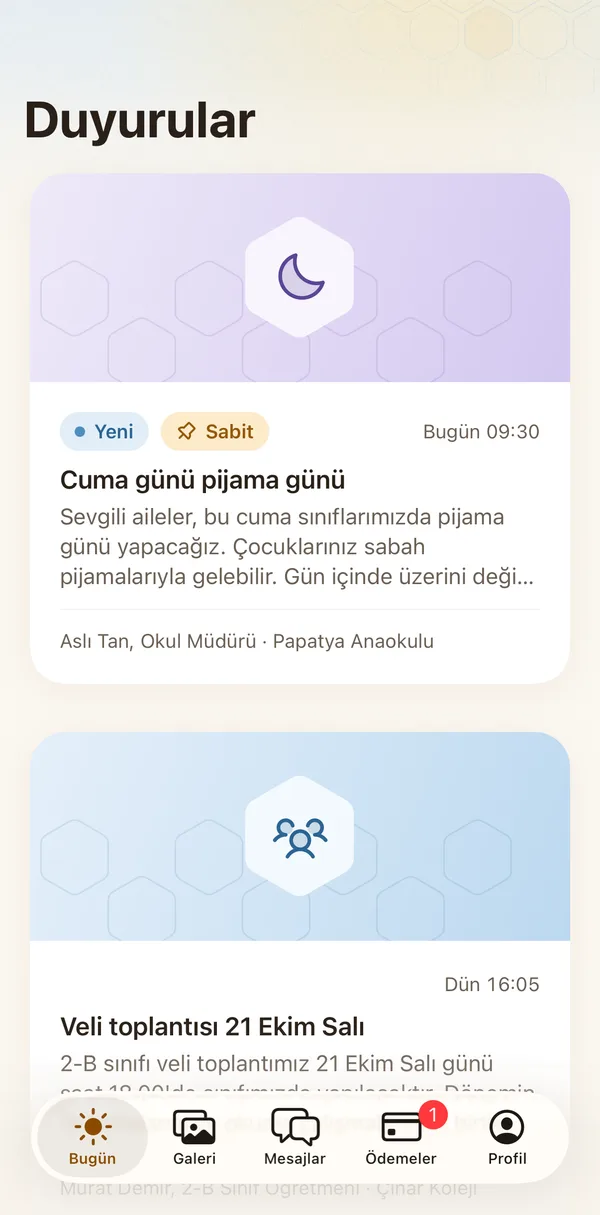
The right notifications
Few, timely notifications that say what happened.
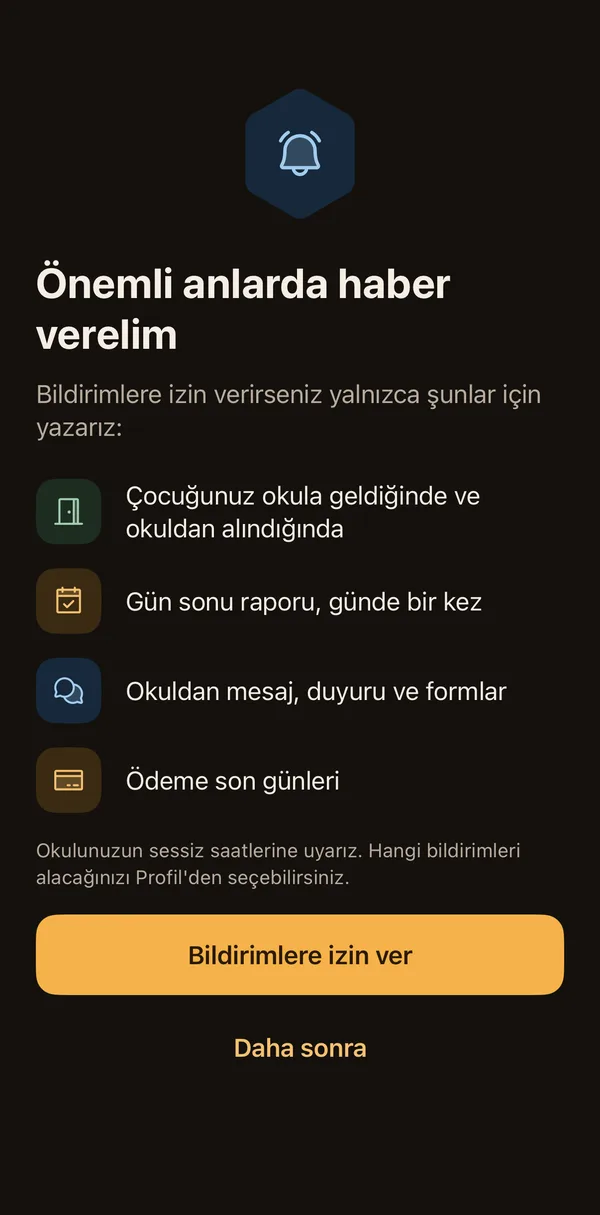
Every notification names the child and the time, grouped by child. You choose which kinds you want; the school's quiet hours are respected. There is no separate notification for every photo.
Details: The right notifications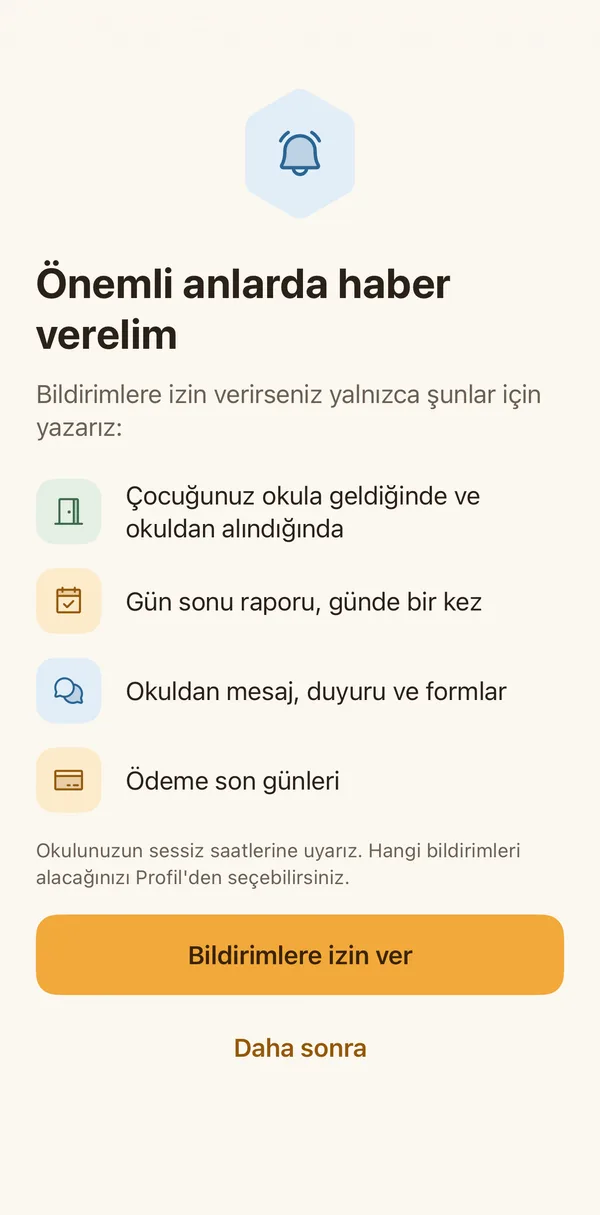
- With teachers and the office, on the school's private channel.You write to your child's teachers and the school office from inside the app; nobody's personal number is shared. Both parents are in the same conversation. If you speak a language other than Turkish and your school has turned it on, you see a machine translation of a message with one tap; the original always stays next to it.Details
Messaging the school
- Book a meeting with the teacher from the app.Details
Meeting appointments
Soon - Answer the school's question in a minute.Details
Surveys
Soon
Payments and paperwork
No paper, no queues, no reminder rush.
Payments and invoices
Balance, instalments and paying, on one screen.
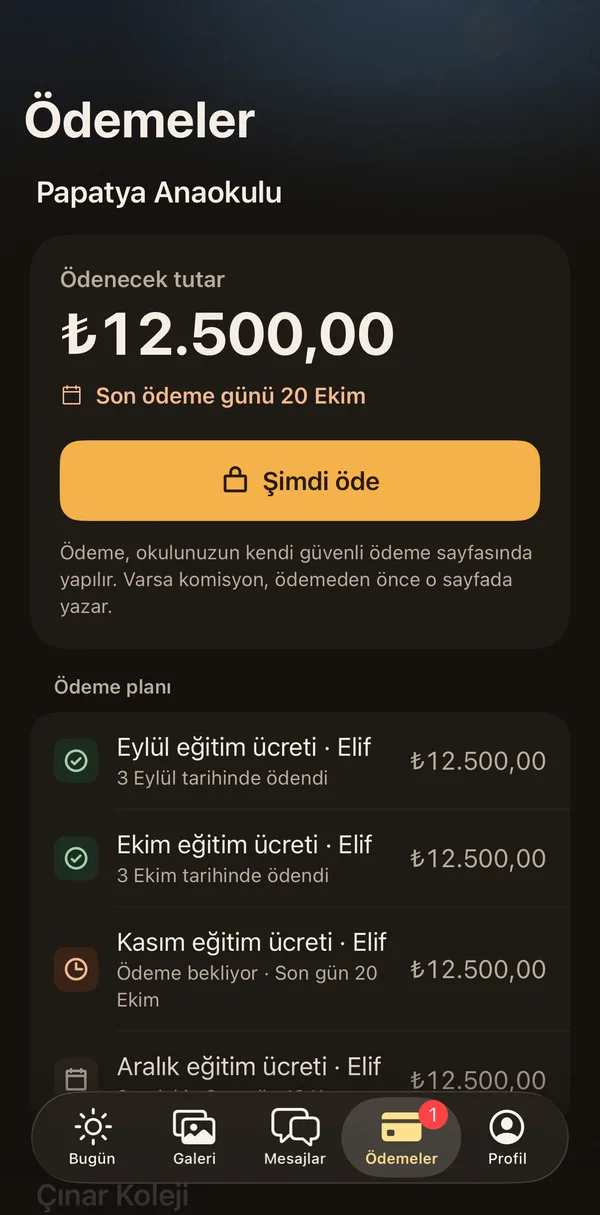
How much is paid, how much is left and when the next instalment is due, at a glance. If your school takes online payments you pay by card; if not, the screen tells you how to pay.
Details: Payments and invoices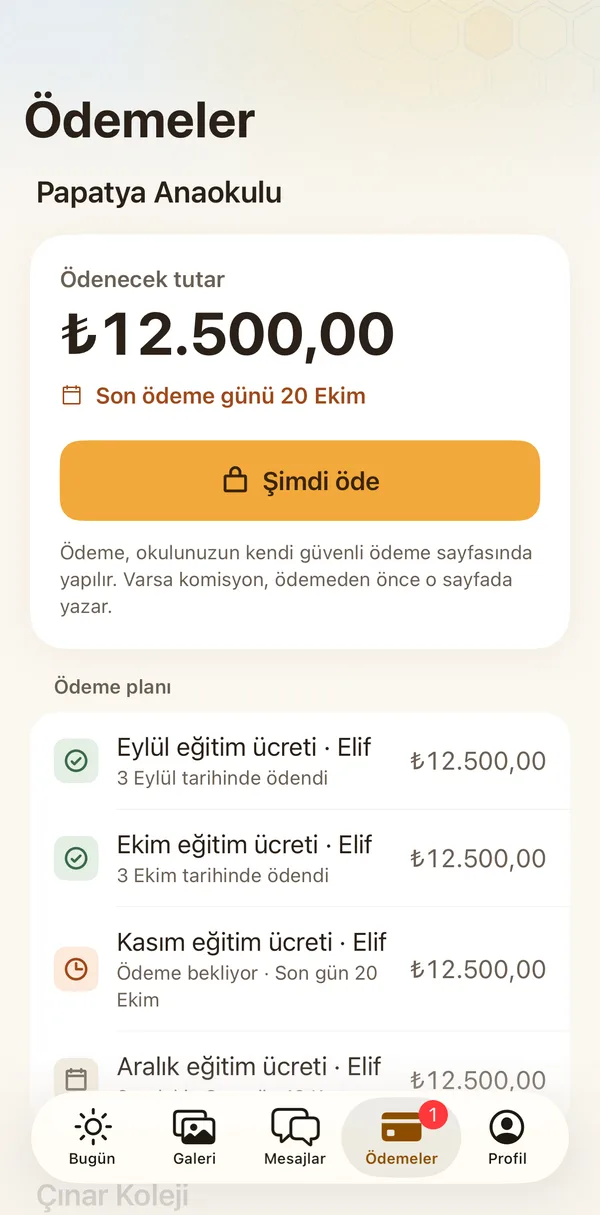
Forms, permissions and trip consent
Answer a permission form in a few taps, and keep the record.
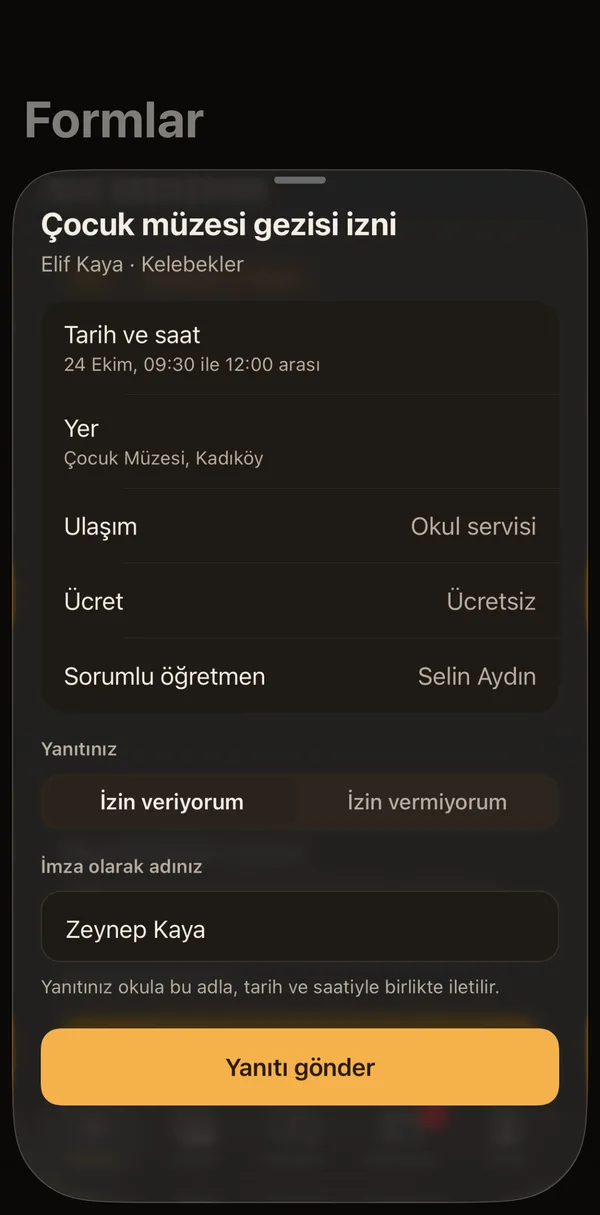
You answer the school's forms from the app. For a trip, the date, place, transport, fee and teacher in charge are in front of you. Your answer reaches the school with your name, date and time, is filed in the school's trip record with the MEB EK-5 details, and you keep a permission slip too.
Details: Forms, permissions and trip consent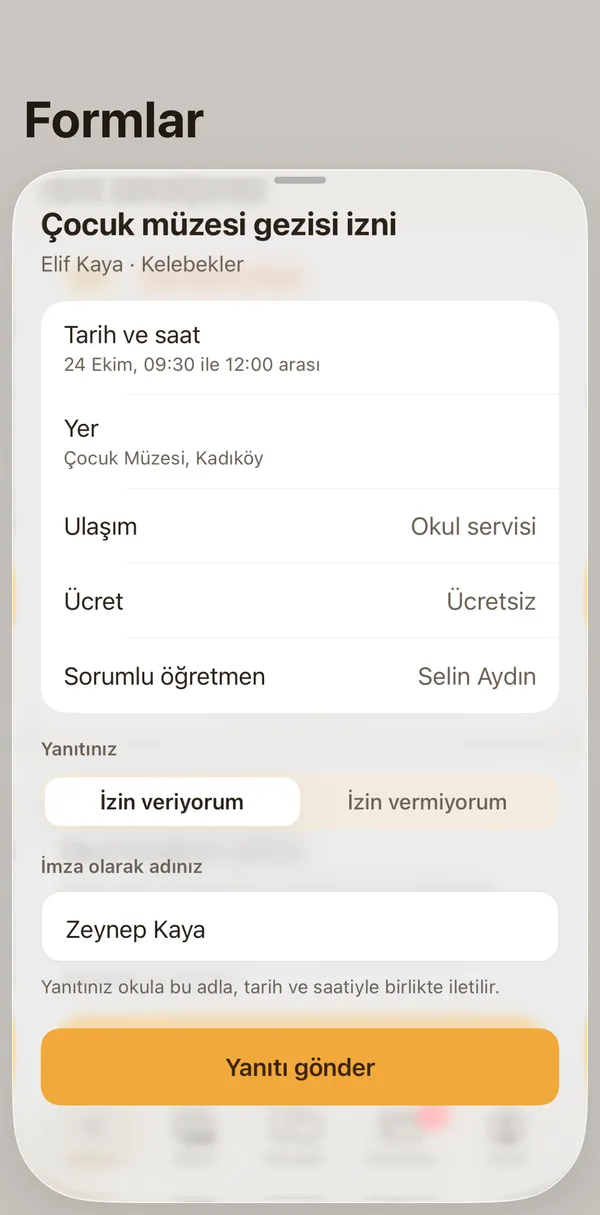
Courses and clubs
You will apply to the school's courses and clubs from the app.
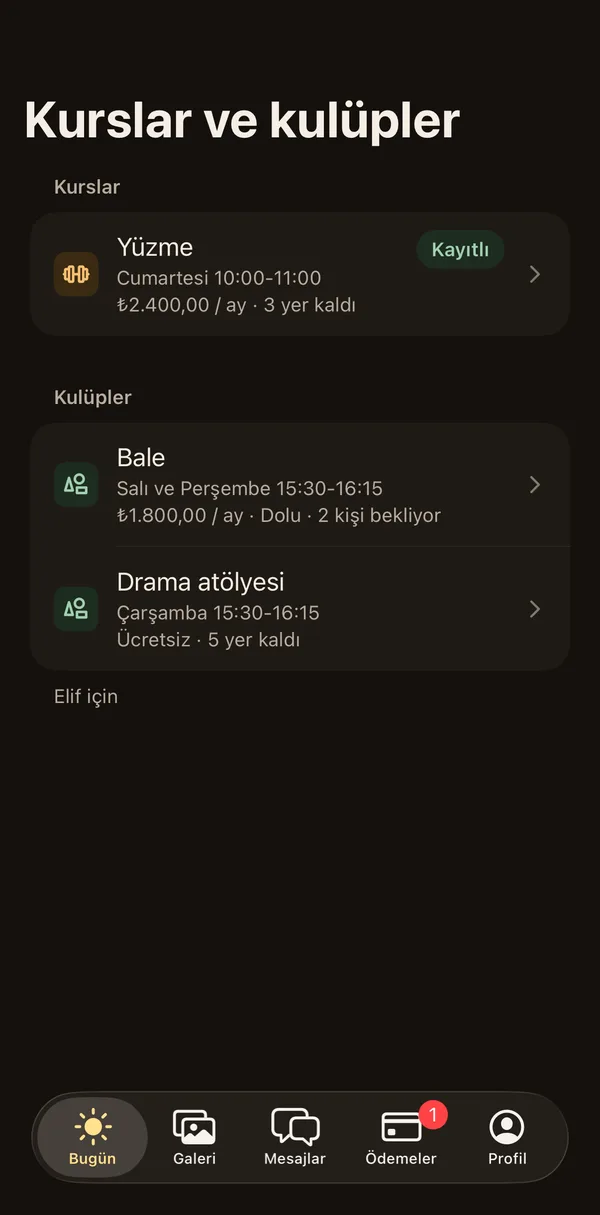
In the first version you will see the courses, branches and clubs the school offers with day, time, instructor, fee and places left. Your application will go to the school; if it is full, you will join the waiting list. The drop-out rule will be shown clearly before you apply.
Details: Courses and clubs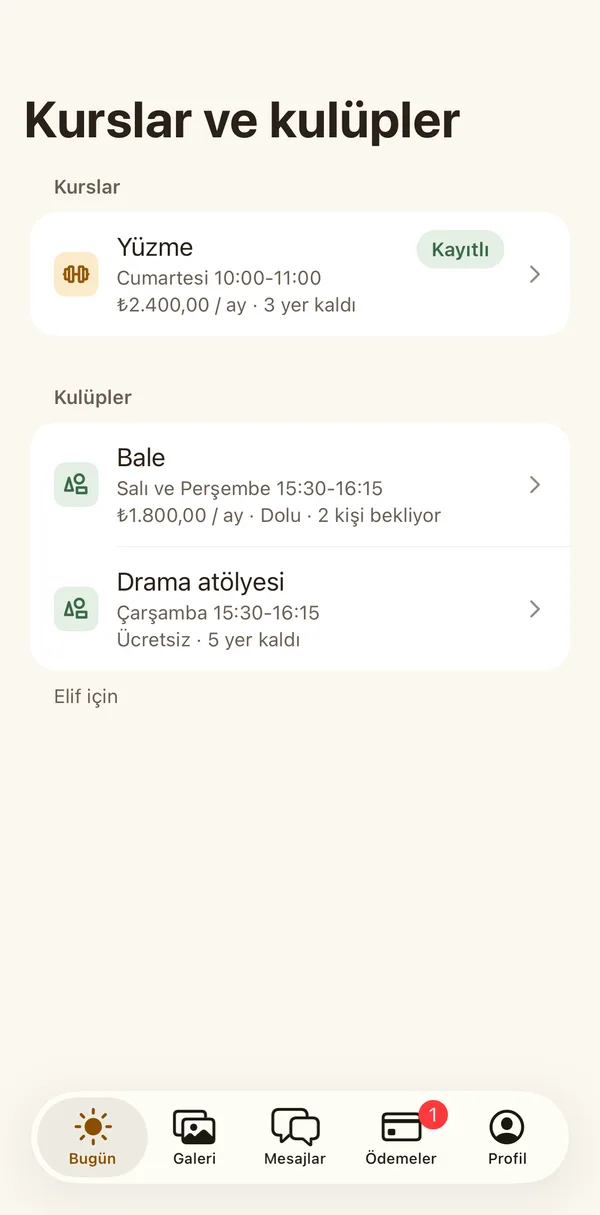
Family and account
Who sees what is up to you.
Joining by invitation
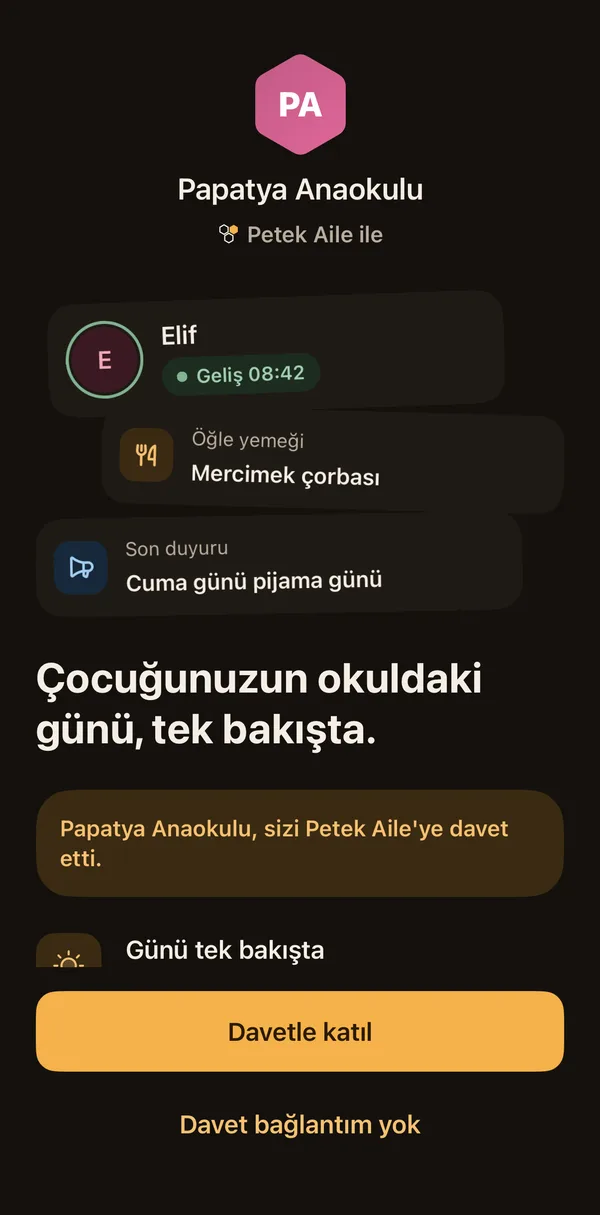
In within seconds, on the school's invitation.
The school invites you and a link arrives on your phone. You sign in with your phone number and the code you receive; no password. Siblings in one account, several schools in the same app.
Details: Joining by invitation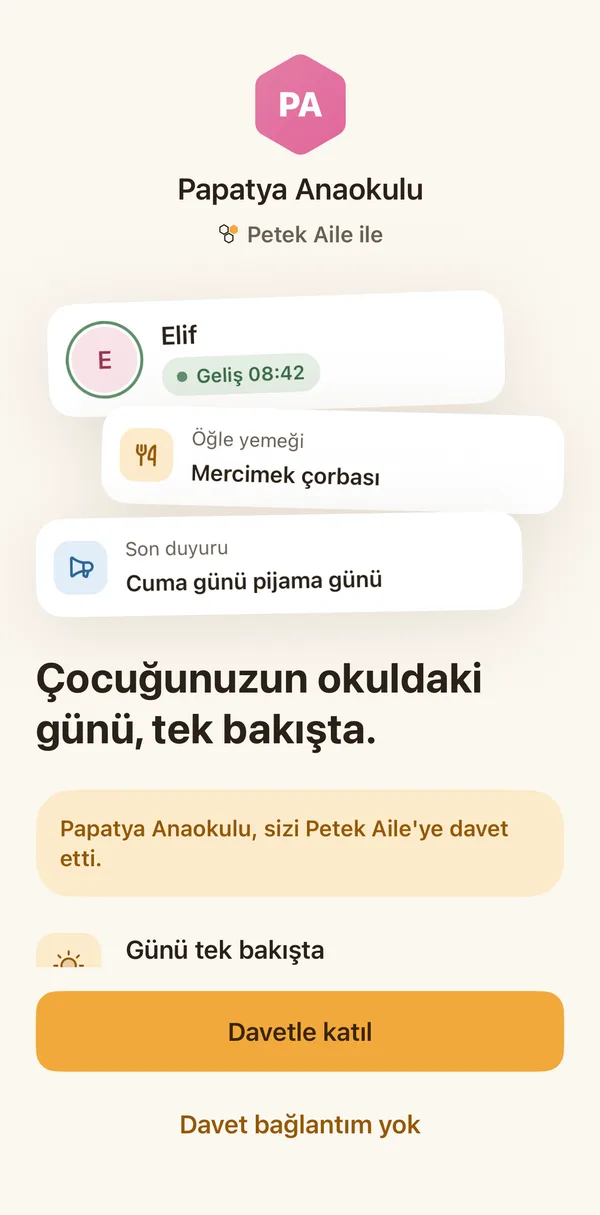
Grandparents and relatives
Grandma sees the day too; the rest stays with you.
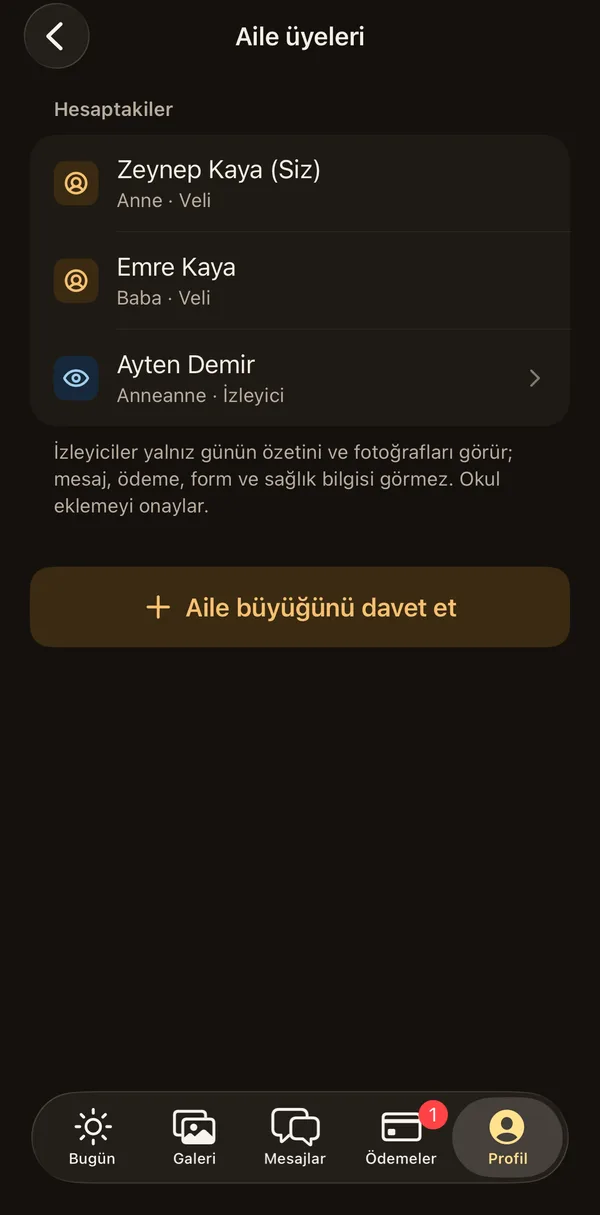
You invite grandparents or relatives as viewers. Viewers see only the day's summary and the photos; they do not see messages, payments, forms or health information. The school approves the addition, and you can remove a viewer whenever you like.
Details: Grandparents and relatives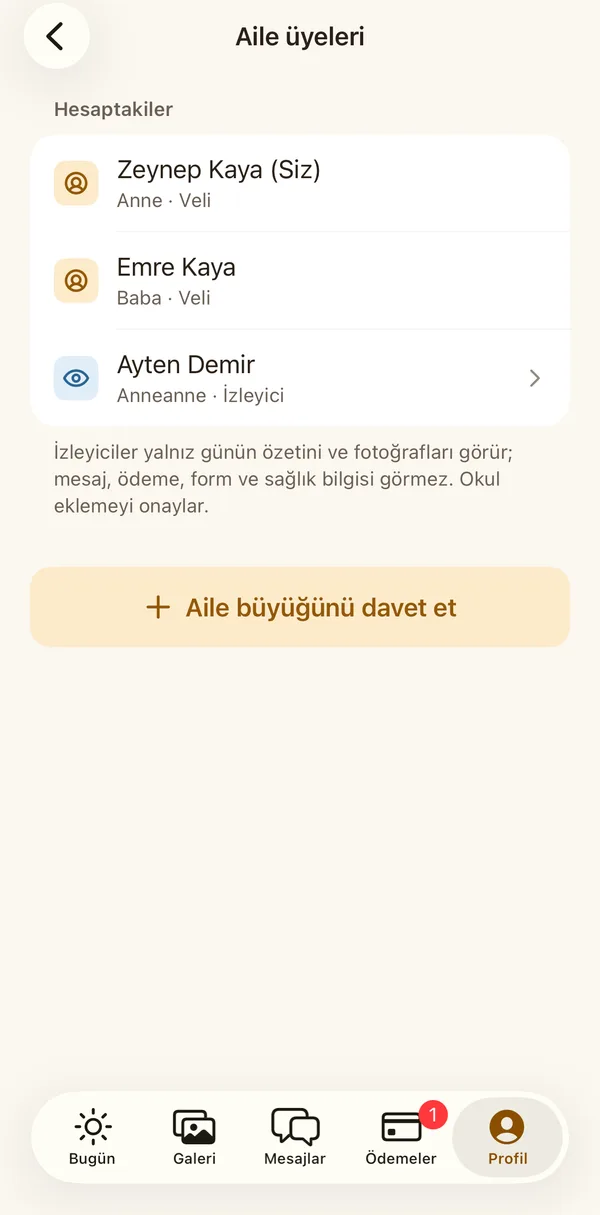
Account and privacy
You stay in control of your data.
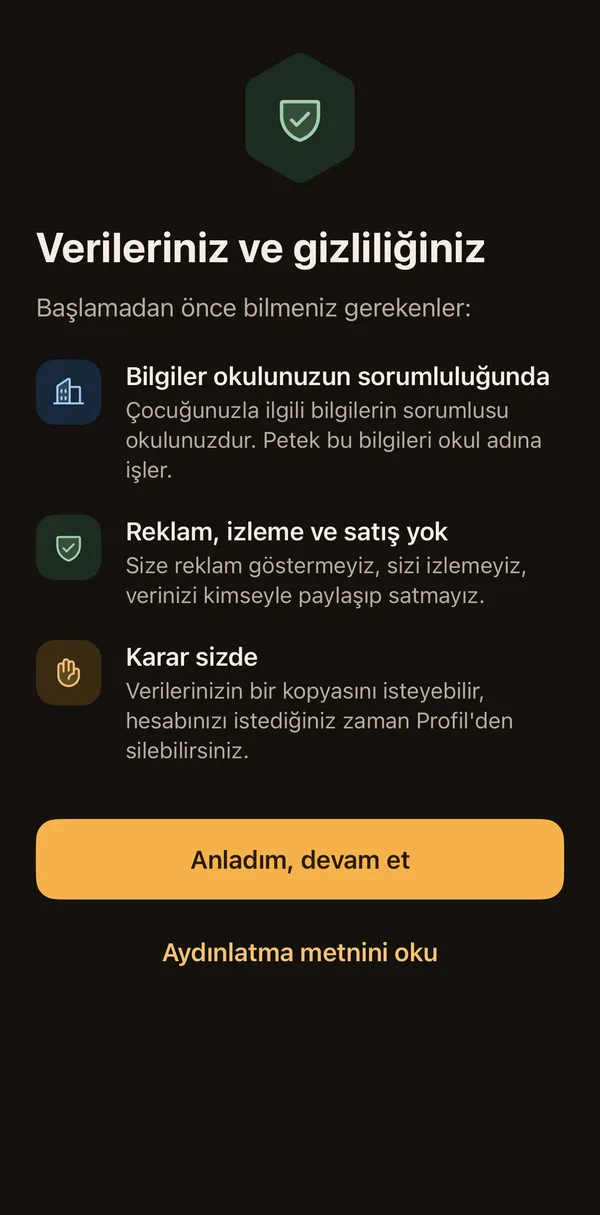
You give or withdraw consent channel by channel, with its history. You can lock the app with Face ID and change your phone and email with verification. You can ask for a copy of your data and delete your account from inside the app.
Details: Account and privacy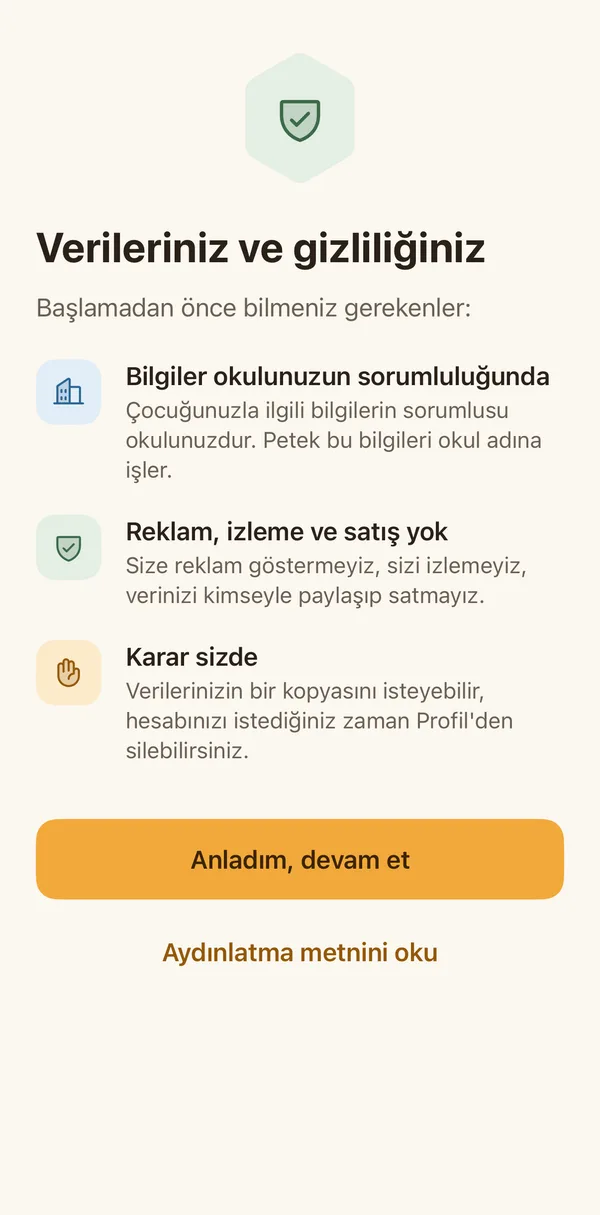
We are working on the sections marked "Soon"; when they are ready they reach your app in an update.
Petek Aile is not in the stores yet. What this page describes will be in the app's first version.